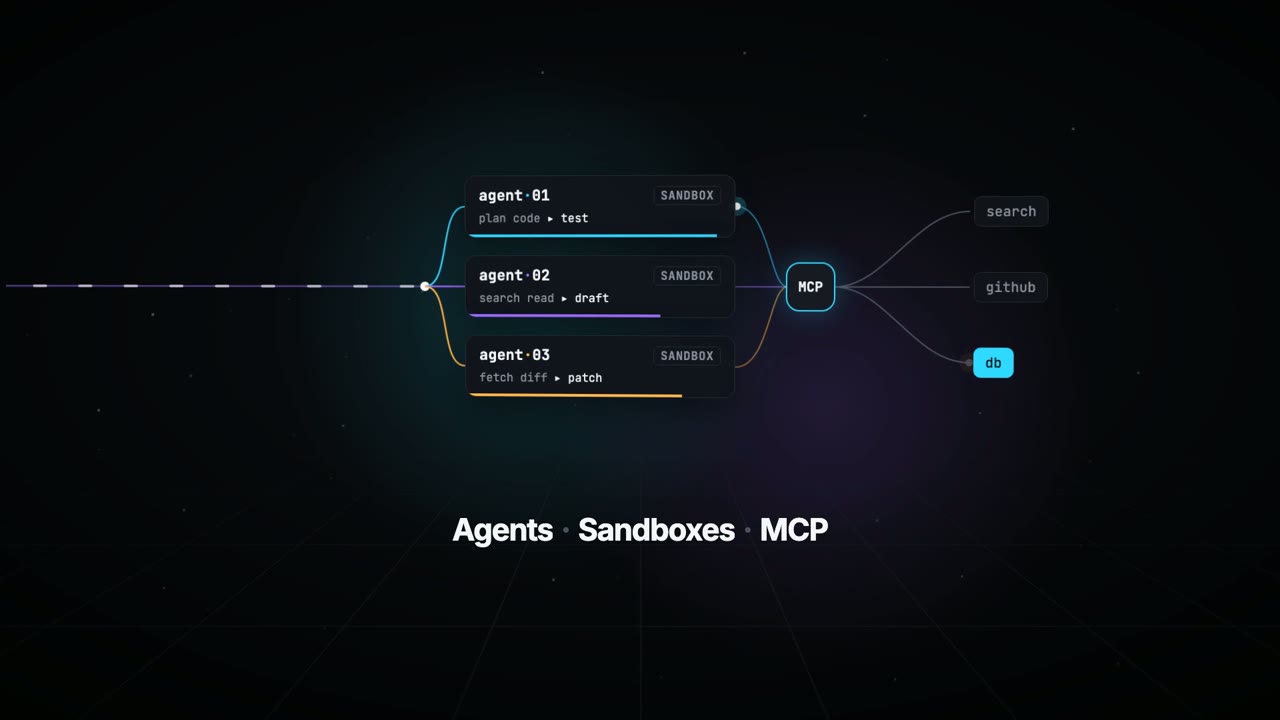
A node graph links agents, sandboxes and MCP

Shivay LambaVERIFIED
@HowDevelop1.6K views · 15 likes · 4 saves · 1 reposts · Posted Sep 26, 2026 · 0:30 · Motion graphics
OUR NOTEA launch film for TanStack AI: a dark node-graph diagram shows three sandboxed agents feeding into an MCP hub connected to search, GitHub and a database, captioned 'Agents · Sandboxes · MCP.' Rendered with Remotion.
THE CREATOR'S POST
Here's an video introduction to @tan_stack AI using a single prompt to generate a launch style video about Tanstack UI using @ClaudeDevs Opus 5.5 using @Remotion
Prompt shared below 👇THE PROMPT
Detailed keynote launch briefCreate and render a 15-second motion graphics video introducing TanStack AI. Make it feel like a premium
developer-tool launch film produced by Studio1: fast, precise, visually surprising, and polished enough to open a
keynote or lead a social campaign.
Use the TanStack AI feature details below as the source of truth. Studio1 is presenting the film; do not imply
Studio1 built TanStack AI.
Format and deliverables
- 1920×1080, 30 fps, exactly 15 seconds; keep important content within a 9:16-safe central area.
- Deliver the rendered MP4 and the editable project/source. Use Remotion or another code-based motion graphics
workflow if available.
- Use real, editable typography and vector-style graphics. Do not rely on AI-generated text inside images.
- Add an original electronic sound design: a restrained opening pulse, tightly synchronized transition hits, rising
- Add an original electronic sound design: a restrained opening pulse, tightly synchronized transition hits, rising
momentum, and a satisfying final resolve. The story must also work muted.
Visual direction
Dark graphite canvas; luminous gradients and controlled flashes inspired by TanStack’s identity. Crisp typography,
kinetic code, layered interface fragments, streaming data, branching paths, and smooth camera moves with convincing
depth. High contrast and immaculate spacing. Every transition should visually demonstrate a feature, rather than
simply replace one title card with another. Keep all on-screen wording brief and legible. Avoid generic stock
footage, spinning logos, fake dashboards, excessive glitch effects, and tiny code nobody can read.
Exact 15-second sequence
- 0:00–0:02 — Hook: A single prompt cursor blinks. It sends one signal that expands into a network of
possibilities. On-screen: “What can one AI API become?”
- 0:02–0:04 — Core and providers: The signal resolves into chat(); provider nodes connect and swap rapidly without
breaking the central flow. On-screen: “chat() · 24 providers”
- 0:04–0:06.5 — Multimodal: One continuous stream transforms into text, waveform, image frame, and video timeline.
On-screen: “One pattern. Every modality.”
- 0:06.5–0:09 — Agents and tools: The stream branches into sandboxed agent runs, then reaches external tools
through MCP. Show distinct runs progressing in parallel. On-screen: “Agents · Sandboxes · MCP”
- 0:09–0:11.5 — Reliability: An interrupted stream freezes, reconnects, and resumes from the same point; a clean
type-check confirmation snaps into place. On-screen: “Persistent. Durable. Type-safe.”
- 0:11.5–0:15 — Reveal: All paths converge into a bold final composition: “TanStack AI” followed by “Build what’s
next.” Add a small “A Studio1 film” credit, visually subordinate to TanStack AI. Hold the final frame long enough
to read it.
Accuracy guardrails
The supplied article says TanStack AI is in the release candidate phase, supports 24 providers, uses AG-UI, and
offers composable chat(), media generation, sandbox and agent-harness primitives, MCP, type safety, persistence,
and resumable streams. Do not call it a stable v1 release. Do not present planned orchestration features as already
shipped.
Make the video, inspect the rendered result, and fix any clipped text, weak transitions, mistimed beats, or
unreadable frames before delivering it. The goal is a memorable showreel, not a slideshow of feature bullets.MAKE ONE LIKE THIS
Three steps, using what the creators in this index used.- 1 · Copy the prompt
Use the prompt above as your starting point, then change the subject and the style.
HOW OTHERS WROTE THEIRS → - 2 · Direct it like an editor
- Ask for one self-contained HTML file on a fixed 1920×1080 stage.
- Link this video as the reference for pacing and style.
- Send two or three rounds of specific notes.
- 3 · Render it to MP4
A short piece like this can be screen-recorded, or captured frame by frame for exact timing.
TURN AN HTML ANIMATION INTO AN MP4 →
HOW IT WAS MADE
The creator didn't name their tools. Most videos like this are HTML, canvas or SVG animation written by Claude and screen-recorded or rendered to MP4 — how that works.
LOOK
data-vizui-mockupminimal
Indexed Sep 28, 2026, 8:28 AM · Views as of indexing. Video and post © their creator.