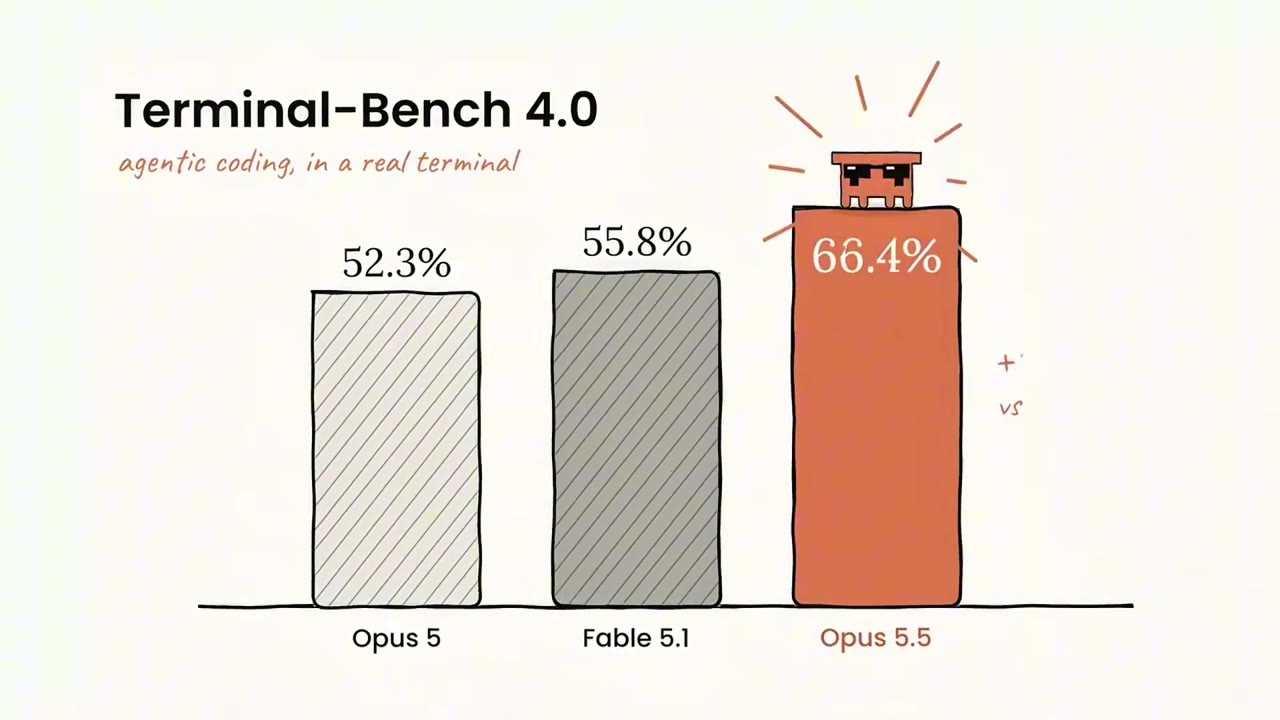
Hand-drawn benchmark bar charts in a launch explainer

1.3K views · 31 likes · 3 saves · 0 reposts · Posted Sep 24, 2026 · 0:32 · Explainers
OUR NOTEA brand explainer introducing Opus 5.5 with hand-drawn benchmark bar charts such as Terminal-Bench 4.0, produced from a single prompt and a GitHub repo in 14 minutes for $3.98.
Opus 5.5 is an absolute BEAST at creating videos
got really inspired by this post and a few other versions i’ve been seeing, so i had to try something different myself.
asked it to create an “Introducing Opus 5.5” video using a single prompt and a GitHub repo.
- 14 minutes and $3.98 later, this is what it made.
you can literally make brand explainer videos like this without touching a video editor.
dropping the prompt + repo in the comments.THE PROMPT
The creator didn't publish a prompt for this one. The post text is below.
MAKE ONE LIKE THIS
Three steps, using what the creators in this index used.- 1 · Copy the prompt
This creator didn't share a prompt. Start from our template instead.
PROMPT TEMPLATE → - 2 · Direct it like an editor
- Ask for one self-contained HTML file on a fixed 1920×1080 stage.
- Link this video as the reference for pacing and style.
- Send two or three rounds of specific notes.
- 3 · Render it to MP4
A short piece like this can be screen-recorded, or captured frame by frame for exact timing.
TURN AN HTML ANIMATION INTO AN MP4 →
The creator didn't name their tools. Most videos like this are HTML, canvas or SVG animation written by Claude and screen-recorded or rendered to MP4 — how that works.
Opus 5.5 just recreated its own launch video Asked model to make whole video without using any video editing tools This took me two days to make Everything you see was made with JavaScript, Python and Blender in a single HTML file all inside Claude Code harness It's crazy how good this model is, I've just been building...
Indexed Sep 28, 2026, 8:28 AM · Views as of indexing. Video and post © their creator.