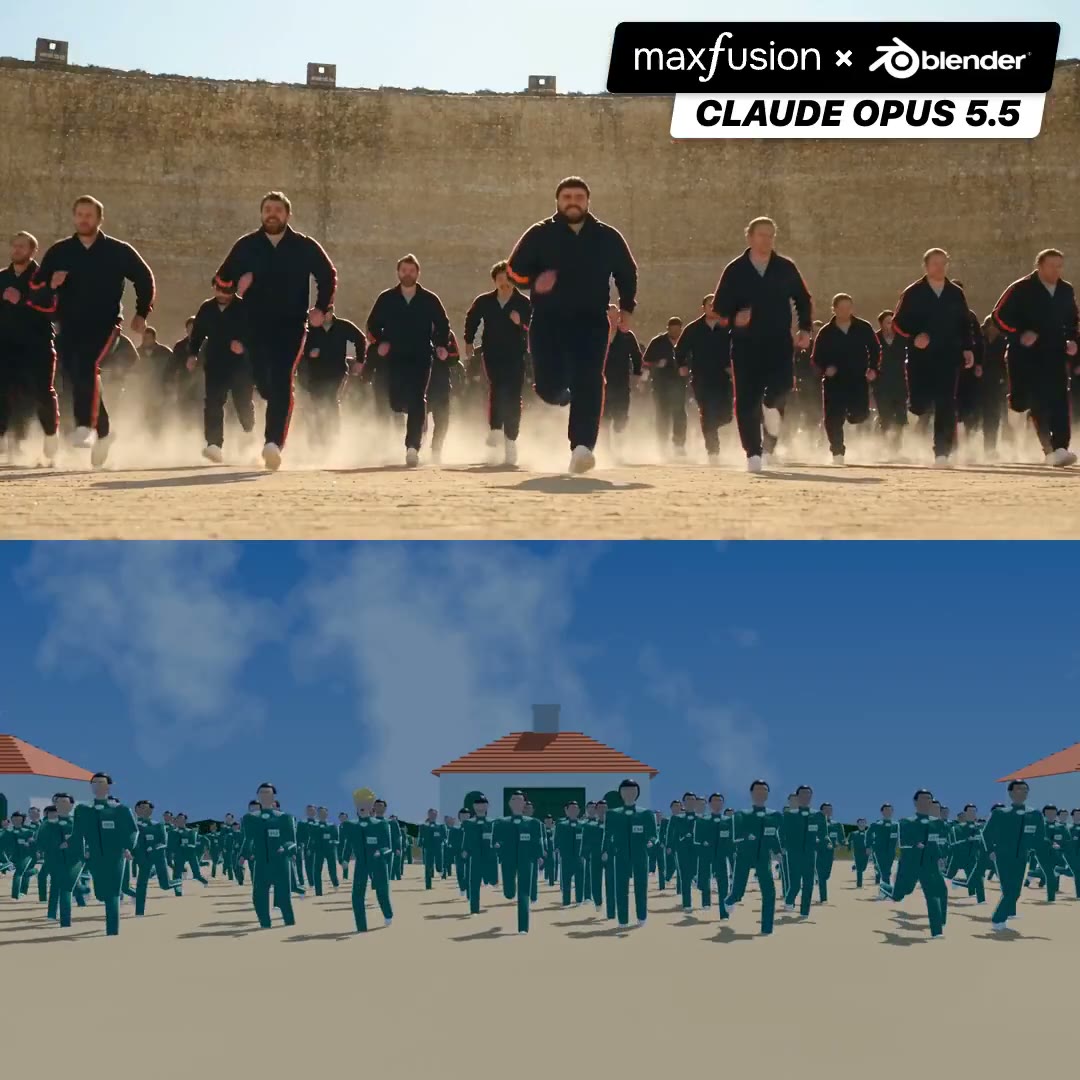
Running-crowd film shot rebuilt as a Blender blockout

7.3K views · 33 likes · 35 saves · 1 reposts · Posted Sep 23, 2026 · 0:28 · Production
OUR NOTEA live-action running-crowd shot sits above its Blender blockout; via MaxFusion MCP, Opus pulled 15 fps frames, rebuilt each camera move, then used the 30s blockout to guide Seedance 2.5.
Claude Opus 5.5 + Maxfusion MCP + Blender is Ultimate control
- I installed Blender. That was my whole job
- I dropped in a video whose shot style and flow I wanted
Claude Opus 5.5 broke it down and pulled 15 frames per second
Claude Opus 5.5 rebuilt every shot in Blender (camera angles, movement, blocking) and exported a 30s MP4 blockout
Claude Opus 5.5 used that blockout as the reference for Seedance 2.5, swapped in my characters, and wrote the prompts that stop Seedance from copying Blender's rough render
The result is below
MaxFusion MCP Made it all happen: the prompting, the images, the edit, everything!
What do you think?THE PROMPT
The creator didn't publish a prompt for this one. The post text is below.
MAKE ONE LIKE THIS
Three steps, using what the creators in this index used.- 1 · Copy the prompt
This creator didn't share a prompt. Start from our template instead.
PROMPT TEMPLATE → - 2 · Direct it like an editor
- Ask for one self-contained HTML file on a fixed 1920×1080 stage.
- Link this video as the reference for pacing and style.
- Send two or three rounds of specific notes.
- 3 · Render it to MP4
A short piece like this can be screen-recorded, or captured frame by frame for exact timing.
TURN AN HTML ANIMATION INTO AN MP4 →
The creator didn't name their tools. Most videos like this are HTML, canvas or SVG animation written by Claude and screen-recorded or rendered to MP4 — how that works.
Indexed Sep 28, 2026, 8:28 AM · Views as of indexing. Video and post © their creator.