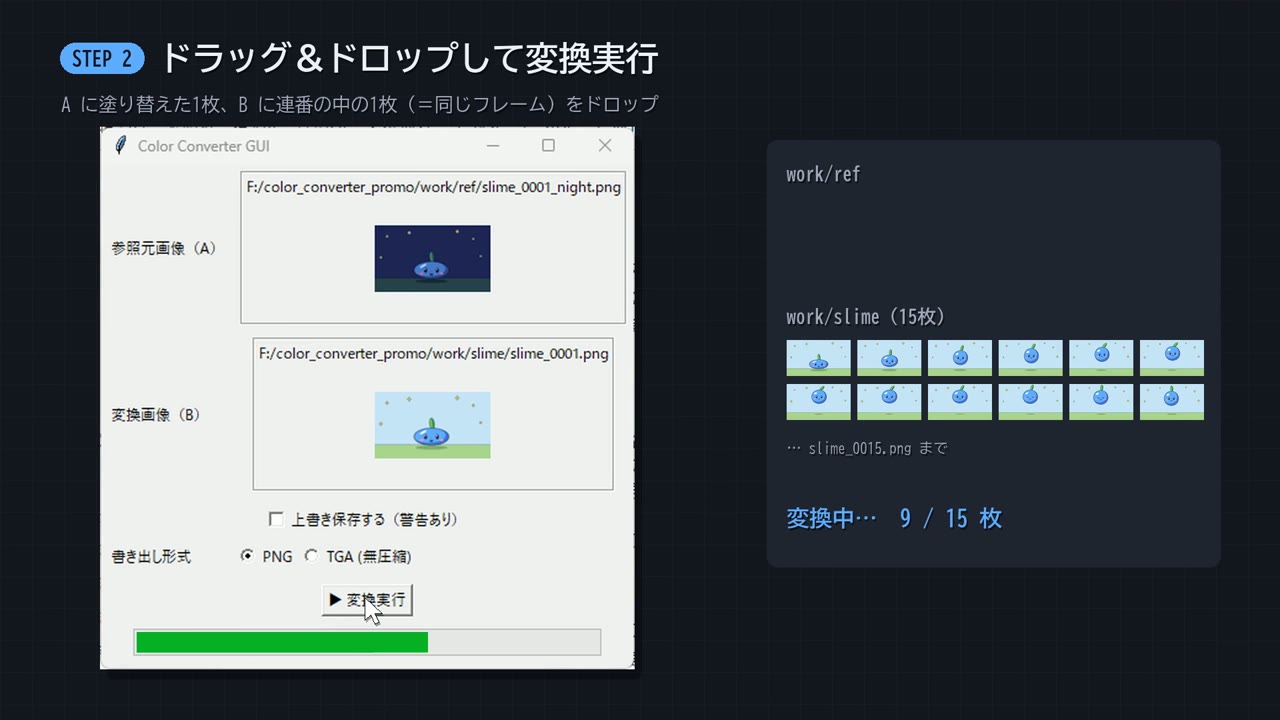
Step-by-step demo of a batch color-replacement tool

28.6K views · 431 likes · 334 saves · 93 reposts · Posted Sep 26, 2026 · 0:50 · Product & ads
OUR NOTEAn intro video for an open-source color-converter GUI: step 2 drops a recolored reference and a slime sprite sequence, then converts 15 frames; Opus 5.5 made it in minutes from the software itself.
1年以上前、納品直前の修羅場で一か八かAIにパワハラしながら作った色置換ソフト。
あれが無かったら、あの作品はあの出来じゃなかっただろう。
もう誰でも簡単にレベルになったので配布します。
ソフトをOpus 5.5に渡して「紹介動画作って」って言ったら、数分でこれが出てきた。ほんま凄い。
https://github.com/gesoikuo/color-converter-guiTHE PROMPT
The creator didn't publish a prompt for this one. The post text is below.
MAKE ONE LIKE THIS
Three steps, using what the creators in this index used.- 1 · Copy the prompt
This creator didn't share a prompt. Start from our template instead.
PROMPT TEMPLATE → - 2 · Direct it like an editor
- Ask for one self-contained HTML file on a fixed 1920×1080 stage.
- Link this video as the reference for pacing and style.
- Send two or three rounds of specific notes.
- 3 · Render it to MP4
A short piece like this can be screen-recorded, or captured frame by frame for exact timing.
TURN AN HTML ANIMATION INTO AN MP4 →
The creator didn't name their tools. Most videos like this are HTML, canvas or SVG animation written by Claude and screen-recorded or rendered to MP4 — how that works.
Indexed Sep 28, 2026, 8:28 AM · Views as of indexing. Video and post © their creator.