Creator explains a one-skill YouTube editing pipeline

10.1K views · 58 likes · 157 saves · 4 reposts · Posted Sep 25, 2026 · 8:59 · Production
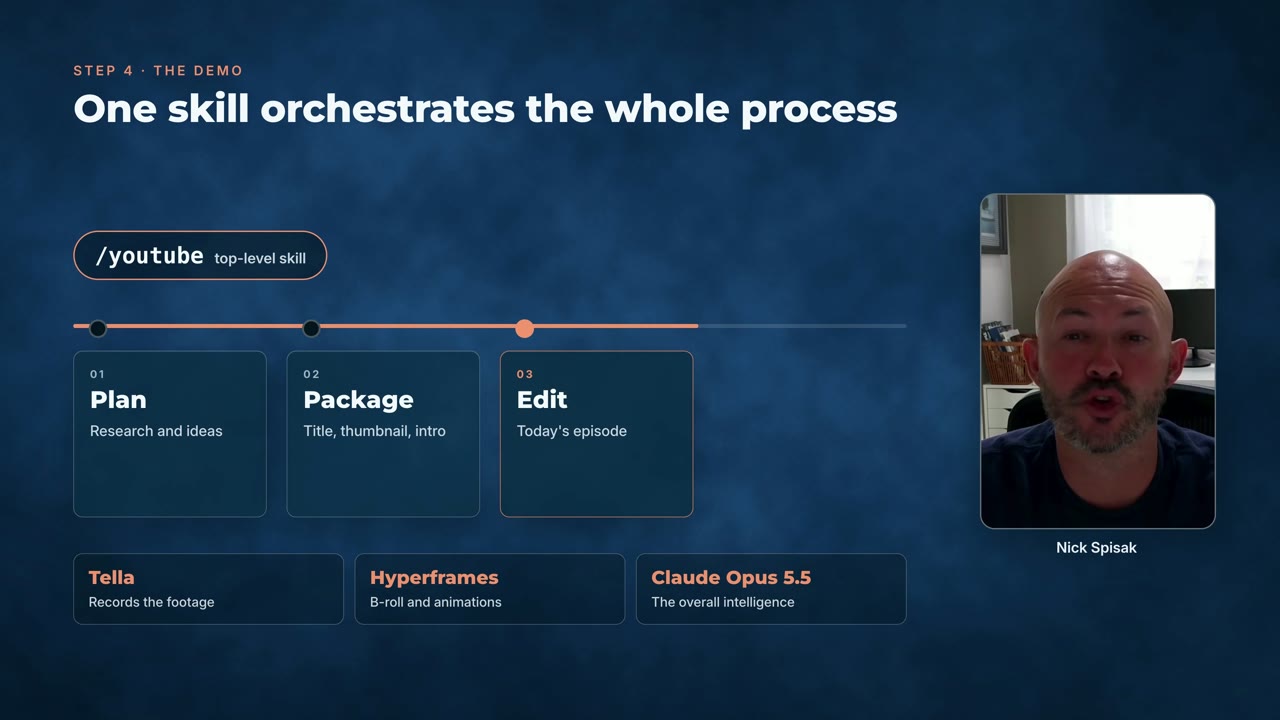
OUR NOTEA nine-minute YouTube video edited by Opus 5.5: raw Tella clips cut in DaVinci Resolve over MCP, with Hyperframes B-roll such as a step card for the /youtube skill beside the host.
I'm not an editor. Claude Opus 5.5 edited my entire YouTube video.
The stack:
1. Tella for the raw clips
2. DaVinci Resolve 21.1, driven over MCP
3. Hyperframes for B-roll and animation
4. Claude Opus 5.5 as the editor
The prompt and how the pieces fit together are in the below video and article. 👇THE PROMPT
The creator didn't publish a prompt for this one. The post text is below.
MAKE ONE LIKE THIS
Three steps, using what the creators in this index used.- 1 · Copy the prompt
This creator didn't share a prompt. Start from our template instead.
PROMPT TEMPLATE → - 2 · Long piece? Give Claude a framework
- FireRed-OpenStorylineConversational, intention-driven video editing★ 3.4k
- chengfeng-videocut-skillsScripted video-cut workflows via agent skills★ 3.0k
- OpenChatCutTimeline-based AI video editing with agent control★ 2.0k
- 3 · Render it to MP4
For a longer piece like this one, render with a framework so the timing is exact on every take.
CLAUDE CODE + HYPERFRAMES / REMOTION →
The creator didn't name their tools. Most videos like this are HTML, canvas or SVG animation written by Claude and screen-recorded or rendered to MP4 — how that works.
Indexed Sep 28, 2026, 8:28 AM · Views as of indexing. Video and post © their creator.