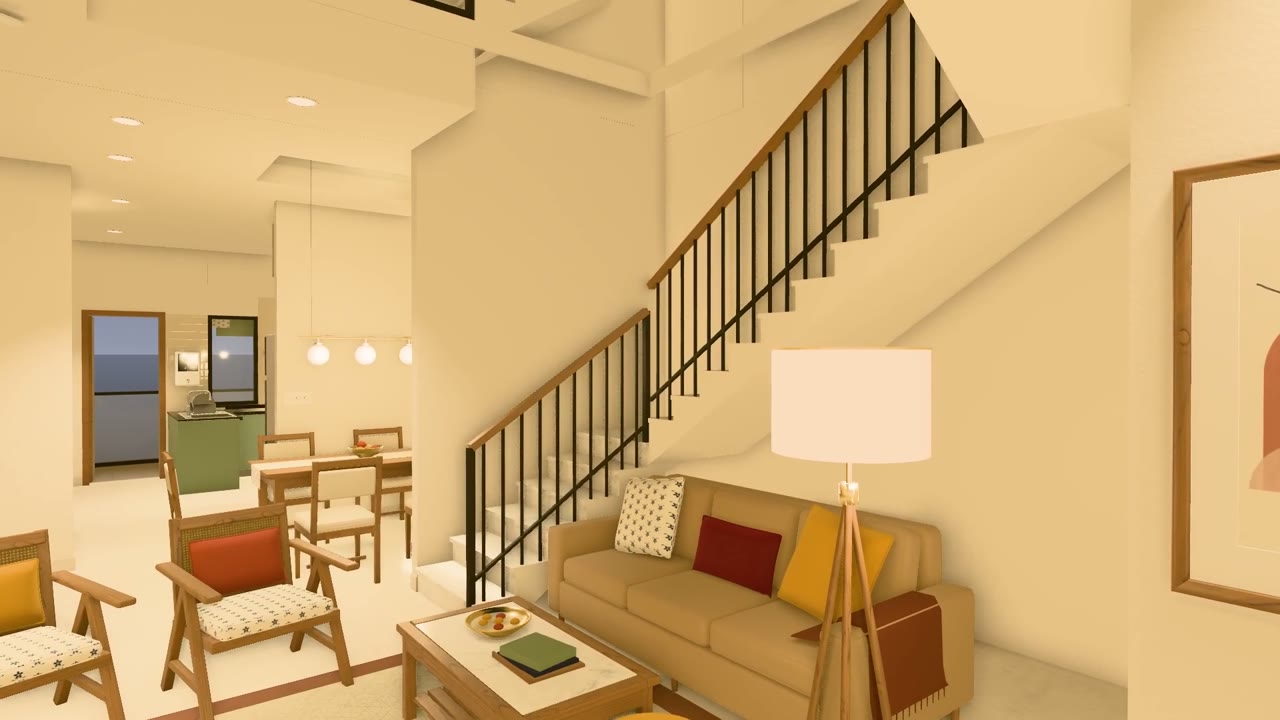
Walkthrough of a family home rebuilt in 3D from floor plans

188 views · 2 likes · 2 saves · 0 reposts · Posted Sep 27, 2026 · 0:38 · 3d scenes
OUR NOTEAn eye-height walkthrough of a three.js house built from a 5-page floor-plan PDF, moving through a furnished hall, a pastel bedroom and a terrace with a swing at dusk; the author cites about 37k lines of code and two days of work.
My family is planning to build a house, and all we had was the floor plan. I wanted to see how it would really look once it's built: which colors, layout and design would suit it best.

So I gave the plan to Claude Opus 5.5 and asked it to create a 3D view of the house.

It's one of the most useful things I've created recently. We can now walk through the house before a single brick is laid, and when we want to try a different color or layout, I just ask for the change.

In the video: the hall, room, and the terrace at dusk, all at eye height.

How it worked:

• I gave it the 5-page floor-plan PDF and one reference image for the front of the house.
• It read the drawings and rebuilt every floor: walls, doors, windows and stairs.
• Where a printed size didn't match the drawn wall, it flagged it (15 places) instead of quietly guessing.
• It furnished every room itself: 500+ pieces of furniture, decor and lighting.
• Everything runs in a web browser with three.js. No Blender, no game engine. You can walk through it like a game, in daylight or evening light, and the lamps actually light the rooms.
• It treated it like a real software project: ~37k lines of JavaScript, 185 unit tests, 56 browser tests, and deterministic video capture (render the same frame twice, get identical pixels).
• It even tracked down a bug of its own: a room's lighting changed depending on which room you walked in from.
• It split the work across sub-agents. Start to finish took about two days.

My part was the decisions: what each room is for, the style, and the changes I wanted.THE PROMPT
Partial prompt — the creator shared only part of it.
My family is planning to build a house, and all we had was the floor plan. I wanted to see how it would really look once it's built: which colors, layout and design would suit it best.
So I gave the plan to Claude Opus 5.5 and asked it to create a 3D view of the house.
It's one of the most useful things I've created recently. We can now walk through the house before a single brick is laid, and when we want to try a different color or layout, I just ask for the change.
In the video: the hall, room, and the terrace at dusk, all at eye height.
How it worked:
• I gave it the 5-page floor-plan PDF and one reference image for the front of the house.
• It read the drawings and rebuilt every floor: walls, doors, windows and stairs.
• Where a printed size didn't match the drawn wall, it flagged it (15 places) instead of quietly guessing.
• It furnished every room itself: 500+ pieces of furniture, decor and lighting.
• Everything runs in a web browser with three.js. No Blender, no game engine. You can walk through it like a game, in daylight or evening light, and the lamps actually light the rooms.
• It treated it like a real software project: ~37k lines of JavaScript, 185 unit tests, 56 browser tests, and deterministic video capture (render the same frame twice, get identical pixels).
• It even tracked down a bug of its own: a room's lighting changed depending on which room you walked in from.
• It split the work across sub-agents. Start to finish took about two days.
My part was the decisions: what each room is for, the style, and the changes I wanted.MAKE ONE LIKE THIS
Three steps, using what the creators in this index used.- 1 · Copy the prompt
Use the prompt above as your starting point, then change the subject and the style.
HOW OTHERS WROTE THEIRS → - 2 · Direct it like an editor
- Ask for one self-contained HTML file on a fixed 1920×1080 stage.
- Link this video as the reference for pacing and style.
- Send two or three rounds of specific notes.
- 3 · Render it to MP4
A short piece like this can be screen-recorded, or captured frame by frame for exact timing.
TURN AN HTML ANIMATION INTO AN MP4 →
The creator didn't name their tools. Most videos like this are HTML, canvas or SVG animation written by Claude and screen-recorded or rendered to MP4 — how that works.
Introducing Claude Opus 5.5, the first model in our new Claude 5.5 family. It performs at the level of Claude Fable 5.1 for most tasks, and costs 40% less to run than Opus 5.
Indexed Oct 3, 2026, 5:09 PM · Views as of indexing. Video and post © their creator.